Welcome to WordPress. This is your first post. Edit or delete it, then start writing!
Blog
-
6 Best Walls.io Alternatives for Events in 2026
Looking for Walls.io alternatives for your next event? While Walls.io helps collect and display social media content, event organizers may need more than a traditional social wall. Features such as real-time social feeds, attendee-generated content, QR-based uploads, content moderation, audience engagement, gamification, sponsor visibility, and multi-screen event displays can make a social wall more interactive.
In this guide, we compare 8 Walls.io alternatives for events, including Social Walls by Taggbox, Everwall, Tagboard, SocialWall Pro, Flockler, and Juicer. We’ll look at their event-focused features, audience engagement capabilities, UGC collection, moderation, screen displays, and other factors to help you find the right alternative to Walls.io for your event.
Why Look for a Walls.io Alternative for Events?
Walls.io offers event-specific features such as hashtag content, media uploads, live polls, photo booths, and sponsor visibility.
Still, event organizers may compare other platforms based on factors such as:
- Audience engagement: Can attendees participate beyond posting on social media?
- UGC collection: Can guests upload photos and videos directly?
- Moderation: How much control do event teams have over displayed content?
- Live updates: How quickly does new content appear on screens?
- Gamification: Are leaderboards, contests, or other participation features available?
- Sponsor visibility: Can sponsors, speakers, and partners receive dedicated exposure?
- Multi-screen displays: Can the same event content run across multiple screens?
- Analytics: Can you measure participation and content performance?
- Event pricing: Does the pricing model work for short-term events?
With these factors in mind, here are eight Walls.io alternatives worth considering for events in 2026.
Best Walls.io Alternatives for Events
1. Social Walls by Taggbox
Social Walls by Taggbox is an all-in-one event engagement platform that combines live social media feeds with UGC collection and interactive experiences. It helps event teams collect attendee content, moderate it, and display it across event screens while adding polls, Q&A, reactions, gamification, sponsor highlights, and branded experiences.
Features:
- Live social media feeds
- 15+ social media sources
- SnapUp QR-based photo & video uploads
- TruSense AI moderation
- Studio / Media Mix
- Reactions
- Polls & Live Q&A
- Photo Booth
- Spotlight for sponsors, speakers & VIPs
- Ticker
- Leaderboards
- Gamification
- Advanced analytics
- Multi-screen sync
- Custom themes, branding, fonts & layouts
- 24/7 support
Best for: Conferences, trade shows, festivals, corporate events, brand activations, and large-scale live events.
Why consider it: Choose it if you want more than a social wall and need UGC, audience engagement, moderation, gamification, sponsor visibility, and live event displays in one platform.
2. Everwall
Everwall is a real-time social wall platform built for live events, conferences, and audience engagement. It collects social posts from multiple sources, lets event teams moderate and curate content, and displays approved posts on event screens. It also includes interactive features such as polls, announcements, and real-time leaderboards.
Features:
- Real-time social media feeds
- Hashtag and keyword monitoring
- Multiple content sources
- Content moderation
- Profanity and spam filters
- Allowlists and blocklists
- Manual moderation
- Scheduled announcements
- Live polls
Best for: Conferences, trade shows, corporate events, and high-volume live events.
Why consider it: A option for events that need moderation, audience interaction, leaderboards, and highly customizable social displays.
3. Tagboard
Tagboard combines real-time social content discovery, curation, and live content production. For events, teams can find and filter audience content, create branded displays, add interactive elements, and send curated content to connected screens. It is particularly suited to events where social content is part of a larger live production.
Features:
- Real-time social content
- Content discovery
- Social content curation
- Advanced filtering
- Content moderation
- Custom display templates
- Drag-and-drop workflow
- Polls
- Q&A
Best for: Conferences, entertainment events, live productions, sports events, and experiential events.
Why consider it: Consider Tagboard when your event requires content curation and live production capabilities alongside social media engagement.
4. SocialWall Pro
SocialWall Pro is a social wall platform designed to combine live social content with audience interaction. It can help event organizers display attendee posts while adding engagement features such as polls, Q&A, contests, leaderboards, and sponsor-focused content.
Features:
- Live social media feeds
- Hashtag aggregation
- Instagram content
- Facebook content
- X content
- LinkedIn content
- Web submissions
- SMS and email submissions
Best for: Conferences, trade shows, corporate events, and sponsored events.
Why consider it: A suitable option if your event needs social content plus interactive sessions, competitions, gamification, and sponsor engagement.
5. Flockler
Flockler lets event teams collect social media content and attendee submissions and turn them into branded social walls and event displays. It supports multiple social sources, content moderation, direct uploads, and event-specific layouts, making it useful for conferences, festivals, trade shows, and other live experiences.
Features:
- Social media aggregation
- Instagram feeds
- Facebook feeds
- X feeds
- LinkedIn feeds
- TikTok content
- YouTube content
- Hashtag feeds
- Attendee upload forms
Best for: Conferences, exhibitions, festivals, trade shows, and brand events.
Why consider it: Consider Flockler if you need multi-source social aggregation, attendee submissions, moderation, and branded event displays.
6. Juicer
Juicer is a social media aggregation platform that can collect content from multiple social sources and display it in a live event social wall. It provides moderation, filtering, content curation, and full-screen display capabilities for events, making it useful for teams that primarily want to bring social conversations together on venue screens.
Features:
- 15+ social media sources
- Social media aggregation
- Hashtag feeds
- Real-time social content
- Content moderation
- AI moderation
- Spam filtering
- Duplicate filtering
Best for: Conferences, festivals, trade shows, and events focused on live social content.
Why consider it: A practical choice if your priority is collecting content from multiple social networks, moderating it, and displaying it live at your event.
Walls.io Alternatives Comparison
Here’s a quick comparison of the platforms based specifically on event functionality:
Platform Social Wall UGC Collection Audience Engagement Moderation Gamification Sponsor Features Event Displays Social Walls by Taggbox ✓ ✓ SnapUp ✓ Polls, Q&A, Reactions ✓ AI + manual ✓ ✓ Spotlight ✓ Everwall ✓ ✓ ✓ Limited ✓ ✓ Limited ✓ ✓ Tagboard ✓ ✓ — ✓ — ✓ ✓ SocialWall Pro ✓ ✓ ✓ Limited — ✓ ✓ ✓ Flockler ✓ ✓ Forms — ✓ — ✓ ✓ Juicer ✓ — — ✓ AI + manual — — ✓ Conclusion
Choosing the right Walls.io alternative depends on what your event needs from a social wall. Some platforms focus primarily on collecting and displaying social media content, while others add audience engagement, UGC collection, moderation, gamification, sponsor visibility, and event display capabilities.
Social Walls by Taggbox brings these capabilities together in one event-focused platform, combining live social feeds, QR-based UGC, AI moderation, polls, Q&A, reactions, gamification, sponsor highlights, analytics, and multi-screen displays. Other Walls.io alternatives may be better suited to specific needs, such as social content curation, live production, or straightforward social aggregation.
Before choosing an alternative to Walls.io, consider the features your event team and audience will actually use. The right platform should make it easy to collect content, encourage participation, keep displays moderated, and turn live audience activity into a more engaging event experience.
-

Best AI Avatar Solutions for UGC Product Ads (2026 Guide)
User-generated content (UGC) ads have become the backbone of high-performing ecommerce campaigns. But hiring creators, managing shoots, and producing variations at scale is expensive and slow. That’s where AI avatar solutions step in.
AI avatars allow brands to create realistic, human-like video ads using scripts, product URLs, or prompts, without needing real creators. These tools are especially powerful for D2C and ecommerce brands looking to scale ad creatives quickly.
In this guide, we’ll explore the best AI avatar solutions for UGC product ads in 2026, along with their features, use cases, and how to choose the right one.
What Are AI Avatar Solutions for UGC Ads?
AI avatar tools generate videos using synthetic human presenters that mimic real creators. These avatars can speak scripts, showcase products, and deliver persuasive messages in a UGC-style format.
Modern platforms combine:
- AI avatars (talking humans)
- Text-to-video generation
- Voice cloning & lip-sync
- Product-focused templates
- Bulk ad creation
This enables brands to create dozens of ad variations in minutes, something that traditional production can’t match.
Why Use AI Avatars for UGC Product Ads?
Here’s why marketers are rapidly adopting AI avatar solutions:
1. Faster Content Production: You can turn a script or product link into a ready-to-run video ad in minutes.
2. Cost Efficiency: No need for actors, studios, or editing teams.
3. Scalability: Create multiple ad variations for A/B testing across platforms like Meta and TikTok.
4. Global Reach: Most tools support 100+ languages and accents, enabling localization at scale.
5. Consistency: AI avatars ensure brand messaging stays uniform across campaigns.
10 Best AI Avatar Solutions for UGC Product Ads
Here are some AI tools that provide an AI avatar solution for creating UGC product ads.
1. HeyGen — Best Overall for UGC-Style Ads
HeyGen is a leading AI avatar platform designed for creating highly realistic talking videos for marketing, training, and UGC ads. It offers a large library of avatars along with advanced voice cloning and multilingual support, making it ideal for global campaigns. The platform’s intuitive workflow allows users to convert scripts into engaging videos within minutes.
Its standout feature is expressive avatars with accurate lip-sync and natural gestures, which enhance authenticity in UGC-style ads. Marketers can also create custom avatars using a webcam, enabling personalized brand representation. HeyGen supports video translation and localization, helping businesses scale across different regions efficiently. Overall, it’s best suited for brands looking for high-quality, scalable AI video production.
Key Features:
- 1,100+ AI avatars
- 175+ languages and dialects
- Instant avatar cloning
- High-quality lip-sync
- Video translation with voice sync
Why it stands out:
HeyGen delivers near-realistic expressions and natural speech, making it ideal for UGC-style product ads.2. Tagshop AI — Best for AI Video Ads
Tagshop AI is an emerging AI avatar solution designed specifically for ecommerce and D2C brands. It enables users to create video ads with AI by simply uploading a product link or script. The platform offers ready-to-use templates tailored for high-converting ad formats, making it easy to launch campaigns quickly.
Tagshop AI focuses on performance marketing, helping brands generate multiple ad variations for testing. It also supports realistic avatars and AI voiceovers to create authentic-looking content. The tool is particularly useful for scaling social media advertising without relying on creators or production teams. Tagshop AI is best for ecommerce brands looking to streamline and optimize their video ad creation process.
Key Features:
- AI UGC video templates
- Product link to video
- Conversion-focused creatives
Best for: D2C brands scaling UGC-style ad campaigns quickly.
3. Creatify — Best for Performance Marketing Ads
Creatify is a performance-driven AI avatar platform specifically designed for ecommerce and UGC-style advertising. It allows users to generate video ads from product URLs, scripts, or images, making it highly efficient for marketers. The platform focuses on conversion optimization, offering features like A/B testing, analytics tracking, and batch ad creation.
Creatify provides a large library of avatars and uses advanced AI models to produce realistic and engaging videos. Its workflow is tailored for ad campaigns, enabling users to create multiple variations quickly for testing. Additionally, it integrates with social platforms for seamless ad deployment. Creatify is ideal for brands looking to scale paid advertising campaigns with high-converting AI-generated content.
Key Features:
- URL-to-video generation
- AI product scripts
- Ad-focused templates
- Bulk ad creation
Why it stands out:
It’s optimized for conversion-driven ad creatives, not just generic videos.4. D-ID — Best for Photo-Based Avatar Videos
D-ID is an AI avatar platform that specializes in transforming static images into talking videos. It uses advanced facial animation technology to bring photos to life with realistic speech and expressions. The platform is widely used for marketing, customer engagement, and personalized video messaging.
D-ID offers a simple interface and strong API capabilities, making it suitable for developers and businesses alike. Users can create videos quickly by uploading an image and adding a script or voice input. It also provides analytics and campaign tools for tracking performance. While its avatars are effective for outreach and storytelling, they may lack the depth of fully animated AI presenters. D-ID is best for brands looking to animate visuals into engaging video content.
Key Features:
- Photo-to-video animation
- Strong API capabilities
- Custom avatar creation
Best for: Brands that want to animate product images or influencer photos.
5. AI Studios (DeepBrain) — Best for Hyper-Realistic Avatars
AI Studios by DeepBrain is known for producing hyper-realistic AI avatars suitable for professional video production. The platform uses real human models to create lifelike avatars with natural facial expressions and voice synchronization. It supports multiple languages and offers script-to-video automation, making it ideal for global content creation.
AI Studios is commonly used in industries like media, education, and corporate communications. The tool also allows customization of avatars and gestures, providing greater control over video output. Its high-quality visuals make it a strong choice for premium brand campaigns. However, it may require more effort and cost compared to simpler tools. AI Studios is best for businesses seeking highly realistic and polished AI video presentations.
Key Features:
- Ultra-realistic presenters
- Multilingual support
- Custom avatar options
Best for: High-end brands needing premium-quality video ads.
6. Colossyan — Best for Script-Based Video Ads
Colossyan is an AI avatar platform focused on transforming scripts and documents into structured video content. It is widely used for training, onboarding, and educational videos. The platform features a drag-and-drop editor, allowing users to easily create videos with avatars, voiceovers, and scenes. Colossyan supports multiple languages and offers customization options for pronunciation and branding.
It also integrates with learning management systems through SCORM export, making it ideal for enterprise use. While its avatars are functional, they may lack emotional depth compared to more advanced tools. Colossyan is best suited for businesses that prioritize efficiency and structured video production over creative storytelling.
Key Features:
- Script-to-video workflow
- Interactive video elements
- Team collaboration
Best for: Teams creating educational or demo-style product ads.
7. Elai.io — Best for Quick Video Generation
Elai.io is an AI video generation platform designed for quick and scalable content creation. It enables users to convert text, URLs, or presentations into videos with AI avatars. The platform is particularly useful for corporate training, explainer videos, and educational content.
Elai offers fast rendering speeds and automation-driven workflows, allowing users to generate videos in minutes. It also supports interactive elements like quizzes, making it suitable for e-learning applications. While its avatars are less expressive than some competitors, the tool excels in speed and efficiency. Elai is best for businesses that need rapid video production and content repurposing at scale.
Key Features:
- PPT/URL to video
- Fast rendering
- Custom avatars
Best for: Marketers who need fast turnaround ad creatives.
8. Veed.io — Best for Editing + Avatars
Veed.io is a versatile video creation platform that combines AI avatars with a powerful editing suite. It allows users to create, edit, and enhance videos within a single interface. The platform includes features like subtitles, voiceovers, and social media optimization tools. Veed is particularly popular among content creators and marketers who want more control over video editing.
While its AI avatar capabilities are not as advanced as specialized tools, its editing features make it highly flexible. Users can create engaging videos with a mix of avatars, real footage, and graphics. Veed is best for those who want an all-in-one video solution with both AI and manual editing capabilities.
Key Features:
- Timeline-based editor
- AI avatars + subtitles
- Social media optimization
Best for: Creators who want more control over editing.
9. Arcads.ai — Best for UGC Ad Creation
Arcads.ai is an AI avatar platform focused on creating high-converting UGC-style video ads. It offers a library of realistic AI actors that can deliver scripts with different emotions and tones. The platform allows users to control avatar performance through prompts, making videos feel more authentic.
Arcads also includes built-in editing tools for adding music, captions, and transitions. Its workflow is optimized for marketers who want to create influencer-style content without hiring creators. While it may have fewer automation features than broader tools, its focus on ad performance makes it highly effective. Arcads is ideal for brands prioritizing engagement and conversions in social media campaigns.
Key Features:
- UGC-style ad templates
- Custom avatars
- Ad variation generation
Why it stands out:
Focused on high-converting social media ads, not generic videos.10. Synthesia — Best for Professional & Scalable Ads
Synthesia is an enterprise-grade AI avatar platform built for creating professional video content at scale. It enables users to generate videos using realistic avatars by simply entering text scripts. The platform supports multiple languages and offers strong collaboration features, making it ideal for teams.
Synthesia is widely used for corporate training, internal communications, and marketing videos. Its avatars are known for natural expressions, accurate lip-sync, and consistent quality across long-form content. The interface is slide-based, making it easy for non-technical users to create structured videos quickly. With built-in translation and localization capabilities, brands can produce multilingual content effortlessly. Synthesia is best for businesses that prioritize consistency, scalability, and polished video output.
Key Features:
- 240+ avatars
- 140+ languages
- Team collaboration tools
- API and enterprise integrations
Best for: Brands that want polished, consistent ad creatives at scale.
Read More: Best AI UGC Ad Generators
How to Choose the Right AI Avatar Tool
Not all tools are built for UGC ads. Here’s what to consider:
1. Avatar Realism: Look for natural expressions and accurate lip-sync.
2. UGC Templates: Tools like Tagshop AI, Creatify, and Arcads are optimized for ads—not just presentations.
3. Custom Avatars: If you want brand-specific creators, choose tools with avatar cloning.
4. Bulk Video Creation: Essential for scaling paid ad campaigns.
5. Pricing vs Output: Some tools limit video minutes, which affects scalability.
Pro Tips for High-Converting AI UGC Ads
- Use short, punchy scripts (15–30 sec)
- Add product demonstrations or overlays
- Test multiple hooks and angles
- Combine avatars with real product footage
- Focus on authentic, conversational tone
Even the best AI avatar tools perform better when paired with strong creative strategy.
Final Thoughts
AI avatar solutions are transforming how brands create UGC product ads. Instead of relying on creators or agencies, you can now produce high-quality, scalable video ads in minutes.
If you’re just starting:
- Go with HeyGen for overall quality
- Choose Creatify or Arcads for ad-focused workflows
- Try Tagshop AI for e-commerce-specific UGC ads
As AI continues to evolve, these tools will only get better, making it easier than ever to create scroll-stopping, conversion-driven video ads at scale.
-
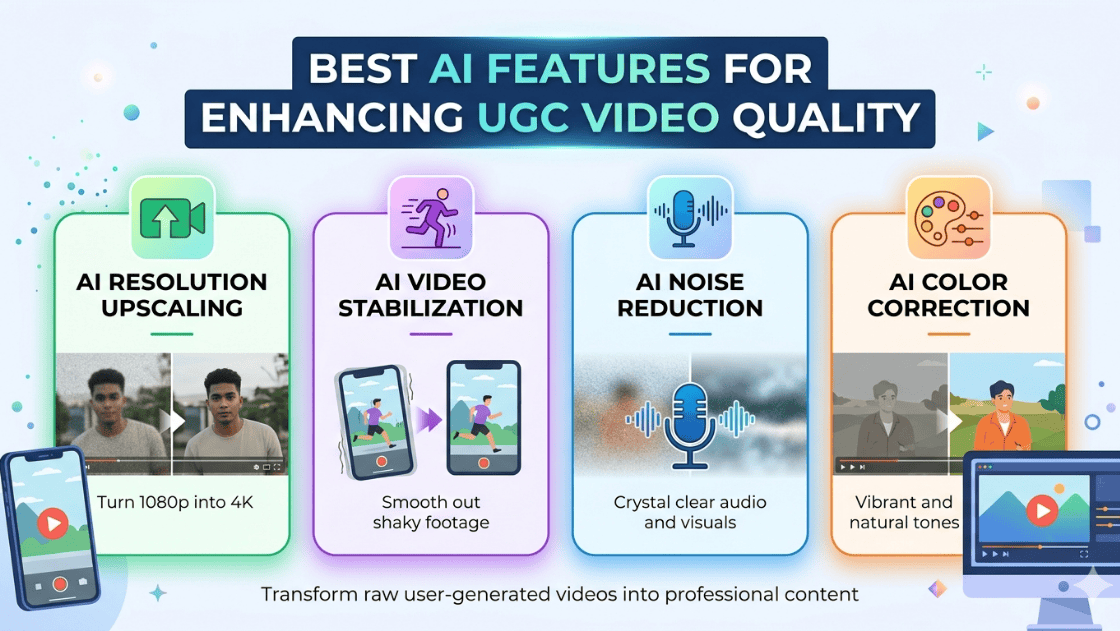
Best AI Features for Enhancing UGC Video Quality
UGC videos are powerful because they feel authentic and relatable. However, raw user recordings can sometimes look unpolished. AI video enhancement tools bridge this gap by improving technical quality while maintaining the natural feel of user-generated content.
AI technology can analyze video frames, detect imperfections, and automatically correct issues such as noise, blur, lighting, and stability. These improvements help creators produce high-quality content without advanced editing skills.
For brands and marketers running campaigns at scale, AI tools also help maintain consistent video quality across multiple creators and platforms, making UGC suitable for ads, landing pages, and social media marketing.
Key Challenges in UGC Video Quality
Before exploring the AI features, it’s important to understand the common problems that affect UGC videos:
- Low-resolution footage from mobile devices
- Camera shake and unstable recording
- Poor lighting or color imbalance
- Background noise or unclear audio
- Inconsistent editing across creators
- Blurry or grainy footage in low-light conditions
AI tools solve these issues automatically using deep learning and computer vision technologies.
Top AI Features for Enhancing UGC Video Quality
Here are some top AI features for enhancing the quality of UGC video.
1. AI Video Super-Resolution and Upscaling
One of the most powerful AI features for improving UGC videos is AI super-resolution. This technology enhances low-resolution footage and converts it into higher-quality formats such as HD or 4K.
AI models analyze each frame and reconstruct missing details, resulting in sharper and clearer visuals. This is especially useful for videos recorded with older smartphones or compressed social media clips.
Key benefits include:
- Converts low-resolution videos into HD or 4K quality
- Reduces pixelation and visual artifacts
- Improves clarity and detail in product shots
- Makes videos suitable for advertising UGC campaigns
AI super-resolution uses deep learning models trained on thousands of video samples to predict missing details in each frame.
For marketers, this feature helps repurpose influencer or customer videos for professional marketing content.
2. AI Video Denoising and Artifact Removal
Many UGC videos contain unwanted visual noise, especially when recorded in low-light environments. If you look at common UGC video examples, you’ll often notice grain, compression artifacts, and visual distortions. AI-powered video denoising helps eliminate these issues and significantly improves video clarity.
Traditional editing tools require manual adjustments, but AI models automatically detect noisy pixels and replace them with cleaner visual information.
Advantages of AI denoising include:
- Cleaner and smoother visuals
- Improved video clarity in low-light footage
- Reduced compression artifacts
- More professional-looking videos
By eliminating visual distractions, AI denoising improves viewer experience and engagement.
3. AI Video Stabilization
Handheld recording is common in UGC videos, which often results in shaky footage. AI-powered stabilization analyzes camera motion and compensates for unwanted movement.
Instead of basic cropping methods used in traditional stabilization, AI uses motion tracking algorithms to create smooth and stable footage.
Benefits of AI stabilization include:
- Removes shaky camera movement
- Improves watchability and viewer retention
- Creates smoother product demonstrations
- Makes handheld footage look professional
Stabilized videos are particularly important for social media ads, tutorials, and product demonstrations, where clear visuals are essential.
4. AI Color Correction and HDR Enhancement
Color plays a major role in video quality and audience perception. AI-powered color correction automatically adjusts brightness, contrast, exposure, and saturation.
Some tools also provide HDR enhancement, which improves dynamic range and balances highlights and shadows.
Advantages of AI color enhancement:
- Automatically balances lighting conditions
- Improves skin tones in influencer videos
- Creates vibrant and eye-catching visuals
- Maintains consistent colors across clips
For brands working with multiple creators, AI color grading helps maintain a consistent visual style across campaigns.
5. AI Auto Editing and Scene Detection
Editing raw UGC footage can be time-consuming, especially when dealing with long recordings. AI auto-editing tools streamline this process by detecting important moments and creating structured video clips.
These tools use machine learning to analyze content, identify highlights, and automatically trim unnecessary segments.
Key capabilities include:
- Automatic scene detection
- Highlight extraction
- Smart trimming and transitions
- Story-based editing suggestions
This feature allows creators and marketers to transform long recordings into short-form content for TikTok, Instagram Reels, and YouTube Shorts.
6. AI Motion Deblur and Frame Interpolation
Fast movement often causes blur or choppy motion in videos. AI motion enhancement technologies address this problem using two main techniques:
Motion Deblur: AI analyzes motion patterns across frames to reduce blur caused by movement.
Frame Interpolation: AI generates additional frames between existing frames to create smoother motion.
Benefits include:
- Smoother video playback
- Reduced motion blur
- Better clarity in action shots
- Improved visual flow in transitions
This feature is particularly useful for product demos, sports content, and action-focused UGC videos.
7. AI Facial Enhancement and Portrait Optimization
Many UGC videos feature people speaking directly to the camera, such as testimonials, reviews, or influencer content.
AI facial enhancement tools improve facial details while maintaining a natural appearance.
These tools can:
- Enhance skin texture
- Improve eye clarity
- Sharpen facial features
- Maintain realistic expressions
The result is more engaging and visually appealing content without losing authenticity.
8. AI Object Removal and Background Enhancement
UGC videos often include distracting elements such as background clutter, unwanted objects, or random passersby.
AI object removal automatically detects these distractions and reconstructs the background to maintain visual consistency.
Common uses include:
- Removing unwanted objects or logos
- Cleaning messy backgrounds
- Blurring or replacing backgrounds
- Enhancing focus on the main subject
This feature helps creators produce cleaner videos while keeping the original footage intact.
9. AI Auto Subtitles and Caption Generation
Many viewers watch social media videos without sound, making captions essential for engagement.
AI captioning tools automatically generate accurate subtitles and synchronize them with speech.
Benefits include:
- Improved accessibility
- Increased engagement on silent autoplay platforms
- Multi-language subtitle support
- Better video discoverability
Auto captions save time and allow creators to reach global audiences more effectively.
10. AI Audio Enhancement and Voice Cleanup
Audio quality is just as important as video quality. AI audio enhancement tools remove background noise and improve voice clarity.
Key features include:
- Noise reduction
- Echo removal
- Voice enhancement
- Automatic volume leveling
These improvements help UGC videos sound more professional, especially when recorded in uncontrolled environments.
Benefits of Using AI to Enhance UGC Videos
Integrating AI features into video production offers several advantages:
1. Faster Content Production: AI automates editing and enhancement processes, reducing manual work.
2. Cost Efficiency: Creators can achieve professional-quality videos without expensive equipment or editing teams.
3. Higher Engagement: Clear visuals, better sound, and smoother motion improve viewer retention.
4. Scalable Content Creation: Brands can process large volumes of UGC content quickly for marketing campaigns.
Future of AI in UGC Video Creation
AI video technology is evolving rapidly. New innovations are making it easier to generate and enhance videos with minimal human effort.
Some emerging trends include:
- AI-generated avatars and talking-head videos
- Real-time video enhancement
- AI-driven storytelling and editing
- Personalized video content for marketing
As these technologies continue to improve, AI will play an even larger role in automating and scaling UGC content production.
Conclusion
User-generated content has become a cornerstone of modern digital marketing, but inconsistent video quality can limit its effectiveness. AI-powered video enhancement features solve this challenge by improving visuals, audio, and editing automatically.
From AI super-resolution and stabilization to smart editing and caption generation, these technologies help creators produce professional-looking videos without complex editing skills.
For brands, marketers, and creators, adopting AI tools for UGC video enhancement offers a powerful way to increase engagement, maintain content quality, and scale video production efficiently.
As AI continues to evolve, we can expect even more advanced features that make UGC videos faster to produce, higher in quality, and more impactful for audiences worldwide.
-
UGC for Hotels – The Ultimate Guide to Increasing Direct Bookings
Travelers don’t book hotels the way they used to. Before confirming a stay, they scroll through Instagram, check tagged photos, read reviews, and look for real guest experiences. They want proof beyond polished website images.
That’s exactly where UGC becomes powerful. For hotels, user-generated content is no longer optional — it’s one of the strongest tools to build trust and increase direct bookings without depending entirely on OTAs.
What Is UGC in the Hotel?
User-Generated Content (UGC) in the hotel industry refers to any content created by guests rather than the hotel brand itself. This includes photos, videos, reviews, testimonials, social media posts, and blog mentions shared by real visitors during or after their stay.
When a guest posts a sunset view from your balcony on Instagram, that’s UGC.
When someone uploads a room tour on TikTok, that’s UGC.
When a family writes a detailed Google review about your hospitality, that’s UGC too.Unlike professional photography, UGC captures real moments. It shows the hotel experience from a guest’s perspective — the breakfast spread as it actually looks, the pool area during peak hours, the way natural light enters the room.
For potential guests, this kind of content feels honest and relatable. It answers unspoken questions:
Is it really that clean?
Does it look like the pictures?
Is it worth the price?UGC provides reassurance in a way that traditional advertising simply cannot.
Benefits of UGC for Hotels
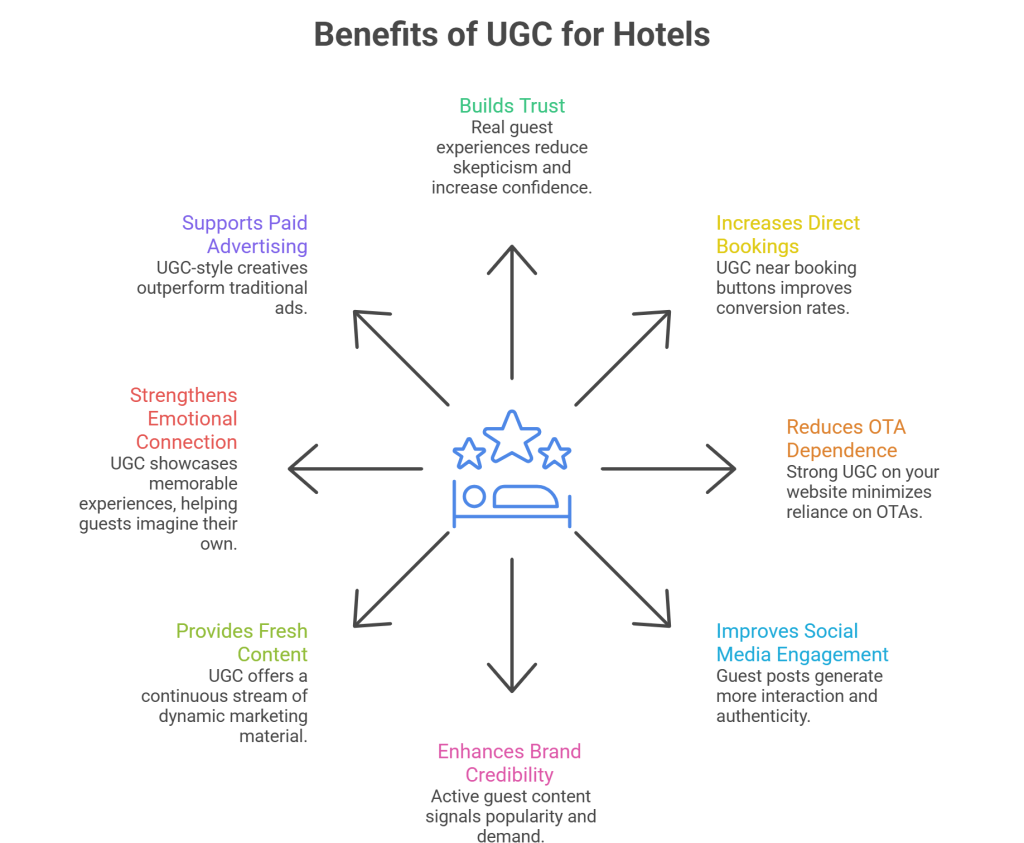
UGC works because it builds credibility. It transforms your marketing from brand-led storytelling to guest-validated proof. Instead of you saying “We’re amazing,” your guests say it for you — and that carries far more weight.
Here are the key benefits of UGC in detail:
1. Builds Trust Instantly
Travel decisions are emotional but backed by research. When visitors see real guest photos and testimonials, it reduces skepticism. They feel safer booking directly through your website.
2. Increases Direct Bookings
UGC placed strategically near booking buttons can reduce hesitation. Real reviews and images act as last-minute reassurance, improving conversion rates.
3. Reduces OTA Dependence
OTAs win because of reviews and social proof. When your own website showcases strong UGC, guests feel confident booking directly — helping you avoid high commission fees.
4. Improves Social Media Engagement
Guest posts generate more interaction than branded posts. Reposting UGC increases authenticity and encourages other guests to share their experiences too.
5. Enhances Brand Credibility
A hotel with active guest content appears popular and in demand. It signals that real people are staying there regularly and enjoying the experience.
6. Provides Fresh Content Continuously
Instead of constantly investing in new photoshoots, UGC gives you a steady stream of real-time content that keeps your marketing dynamic.
7. Strengthens Emotional Connection
Travel is about memories. UGC showcases birthdays, anniversaries, vacations, and special moments — helping future guests imagine their own experiences at your property.
8. Supports Paid Advertising Performance
UGC-style creatives often outperform traditional ads because they feel native and less promotional.
Key Strategies to Leverage UGC for Hotels
Collecting UGC is only half the job. The real impact comes from how you use it. When implemented strategically, UGC becomes a conversion tool rather than just social content.
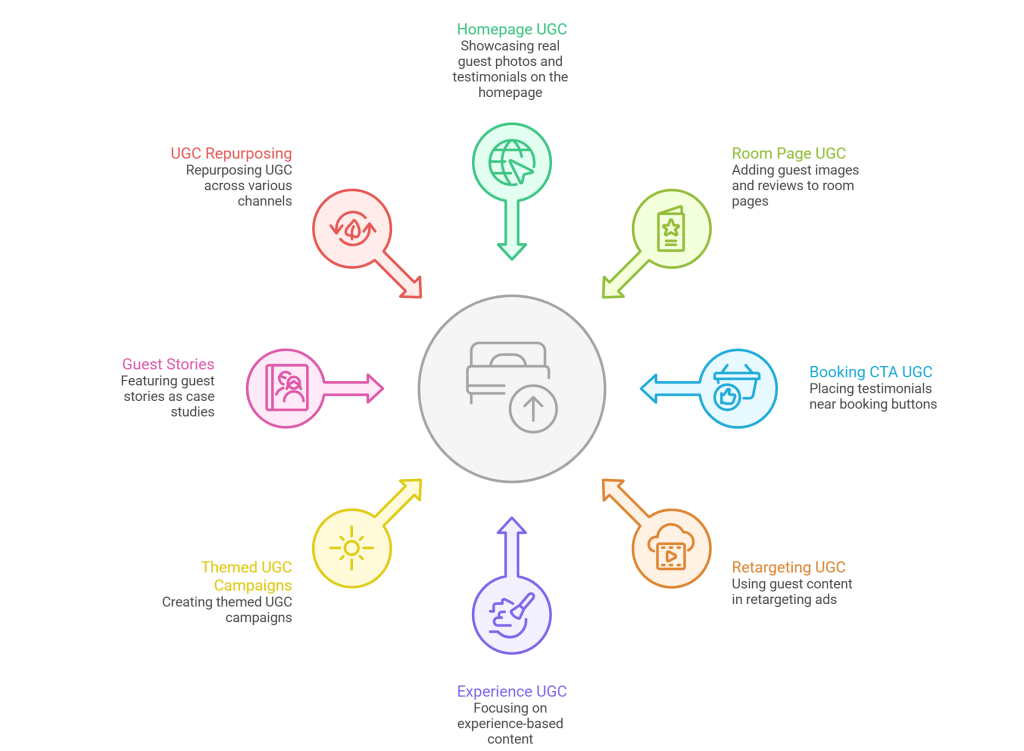
Here are practical strategies hotels can follow:
1. Showcase UGC on Your Homepage
Feature real guest photos and testimonials prominently. A dynamic gallery or live social feed instantly builds credibility for first-time visitors.
2. Add UGC to Room Pages
Place guest images and reviews below room descriptions. This helps guests visualize their stay in that specific room category.
3. Integrate UGC Near Booking CTAs
Position testimonials close to the “Book Now” button. At the decision-making moment, reassurance matters most.
4. Use UGC in Retargeting Campaigns
Create ads using guest videos, review snippets, or candid photos. These feel more authentic and often generate higher click-through rates.
5. Highlight Experience-Based Content
Focus not only on rooms but on experiences — spa treatments, dining moments, rooftop views, and celebrations. Experiences sell more than amenities.
6. Create Themed UGC Campaigns
For example, “Sunset Moments at Our Hotel” or “Guest Celebrations.” Curating themed content makes your feed engaging and structured.
7. Feature Guest Stories
Turn standout guest experiences into mini case studies or social highlights. A couple celebrating their anniversary or a family reunion story adds emotional depth.
8. Repurpose UGC Across Channels
Use guest content in email marketing, website banners, brochures, and even digital screens inside the property. Maximize each piece of content.
How to Encourage Guests to Create UGC
Most guests are already taking photos — they just need a small push to tag you.
Start by making your social handles visible in rooms, at reception, and in welcome emails. A simple reminder increases tagging significantly.
Create visually appealing corners in your property — aesthetic backdrops, rooftop views, cozy café spots. Guests naturally share what looks beautiful.
You can also introduce light incentives such as:
- A complimentary drink for tagged posts
- Monthly feature contests
- Discount codes for repeat stays
Most importantly, engage actively. Repost guest content, thank them publicly, and make them feel valued. Recognition encourages more participation than rewards alone.
Conclusion
In today’s hospitality landscape, trust determines bookings. Travelers no longer rely solely on polished marketing — they rely on real experiences shared by real guests.
UGC helps hotels build that trust organically. It transforms satisfied guests into advocates and turns social proof into a direct booking engine.
When used strategically, user-generated content doesn’t just enhance your marketing — it reduces OTA dependence, strengthens brand credibility, and increases direct revenue.
For hotels that want sustainable growth, UGC isn’t a trend. It’s a competitive advantage.
-
UGC for Education: A Complete Guide for Schools and EdTech Brands
Education is one of the most trust-driven industries in the world.
Parents don’t choose a school lightly.
Students don’t enroll in a course without second thoughts.
Professionals don’t invest in learning platforms unless they believe it will genuinely help them.That’s exactly why User-Generated Content (UGC) works so well in education.
When students talk, people listen.
When learners share their experience, it feels real.
And when education brands use those stories well, marketing stops feeling like marketing.This guide breaks down what UGC for education really means, why it works, how schools and EdTech brands should use it, and how to do it ethically, safely, and effectively.
What Is UGC for Education?
UGC for Education refers to any content created by students, learners, parents, alumni, or educators that reflects real experiences with a school, university, coaching institute, or EdTech platform.
This content can include:
- Student testimonials
- Course reviews
- Classroom photos or videos
- “Day in the life” student stories
- Learning progress posts
- Graduation or success stories
- Community discussions and comments
The key thing is this:
The content is created by real people, not the brand itself.
And that’s what gives it power.
Why UGC Works So Well in Education
Education decisions are emotional, high-stakes, and long-term. People don’t just want features — they want social proof.
UGC works because it answers the questions prospects are already asking:
- “Will this actually help me?”
- “Is this worth my time and money?”
- “People like me… did it work for them?”
Here’s why UGC consistently outperforms traditional education marketing:
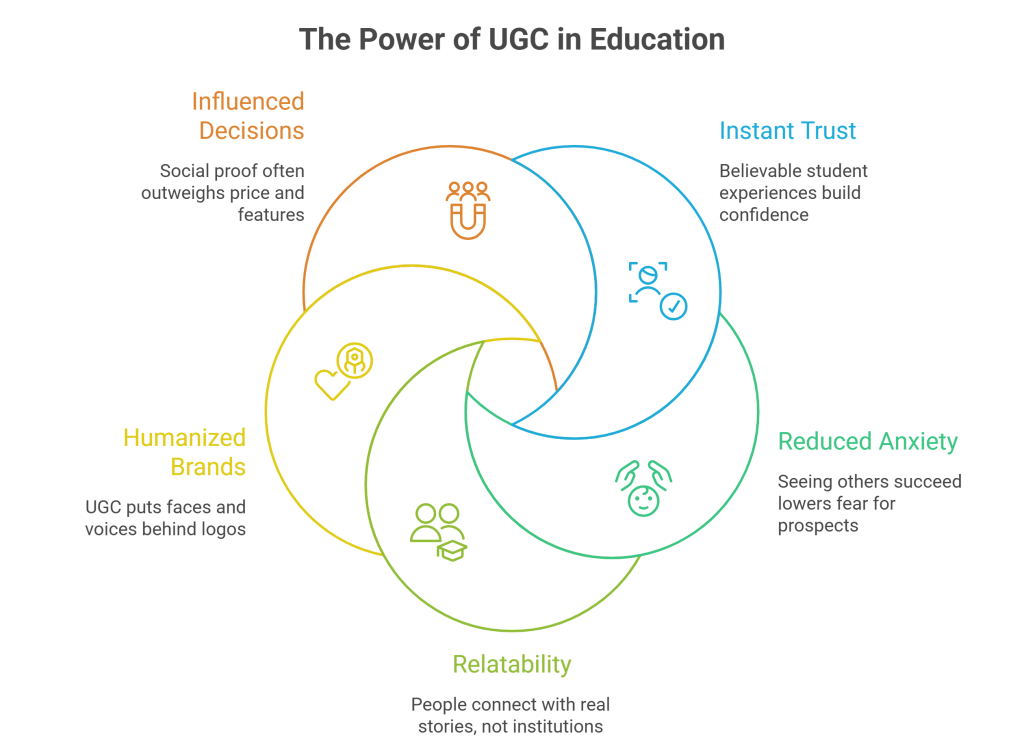
1. It Builds Instant Trust
A student sharing their honest experience is more believable than any brochure or ad copy.
2. It Reduces Decision Anxiety
Seeing others succeed lowers fear and hesitation — especially for parents and first-time learners.
3. It Feels Relatable
People connect with people, not institutions.
4. It Humanises Education Brands
UGC puts faces, voices, and stories behind logos.
5. It Influences Enrollment Decisions
In education, social proof often matters more than pricing or features.
Types of UGC for Education
UGC in education isn’t one-size-fits-all. Different formats serve different goals.
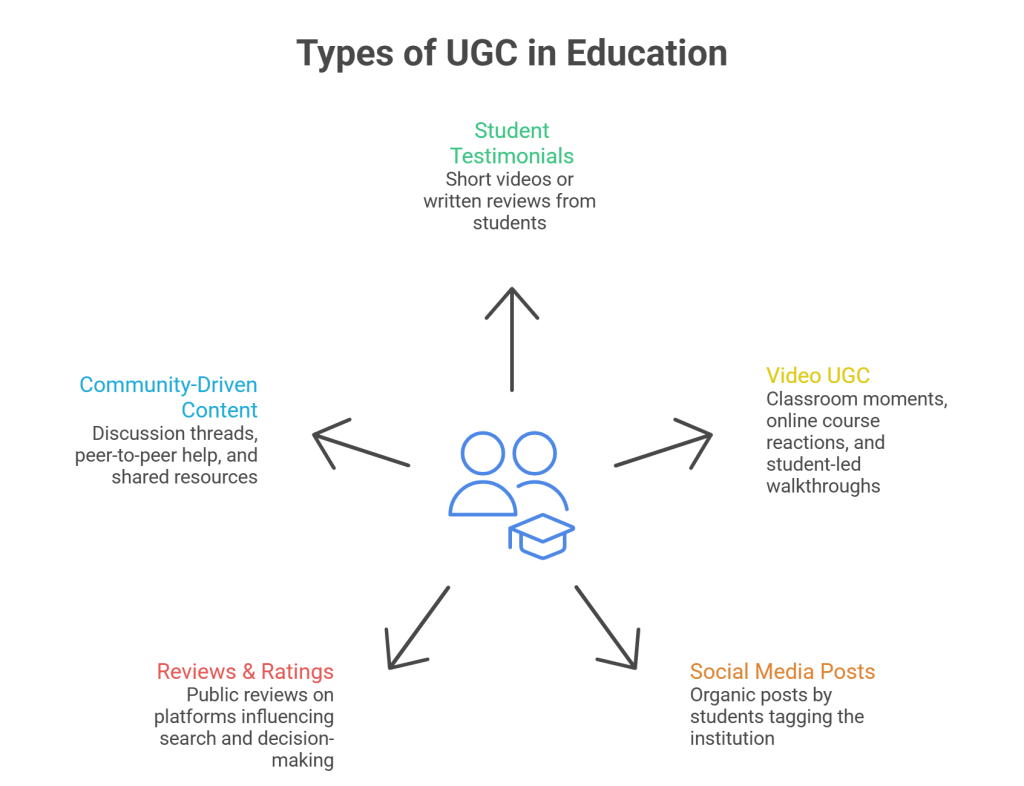
Student Testimonials
Short videos or written reviews where students explain:
- Why they joined
- What they learned
- What changed after enrolling
These are incredibly powerful for admissions pages.
Video UGC
Video UGC includes:
- Classroom moments
- Online course reactions
- Learning milestones
- Student-led walkthroughs
Video UGC performs especially well on social media and ads.
Social Media Posts
Organic social media posts by students tagging the institution or platform:
- Course completions
- Study sessions
- Achievements
- Campus life
These are perfect for brand credibility.
Reviews & Ratings
Public reviews on platforms, websites, or course pages that influence search and decision-making.
Community-Driven Content
Discussion threads, peer-to-peer help, learner-generated tips, and shared resources.
How Schools Can Use UGC Effectively
Traditional schools and colleges often sit on a goldmine of UGC — they just don’t use it well.
Admissions & Enrollment Pages
Featuring real student stories helps prospects imagine themselves there.
Campus Life Marketing
Photos, videos, and stories from students show what life actually looks like beyond academics.
Parent Communication
UGC reassures parents that students are safe, supported, and thriving.
Alumni Success Stories
Nothing sells education better than outcomes.
How EdTech Brands Can Use UGC to Scale
EdTech brands live in a competitive, digital-first world. UGC becomes a growth lever.
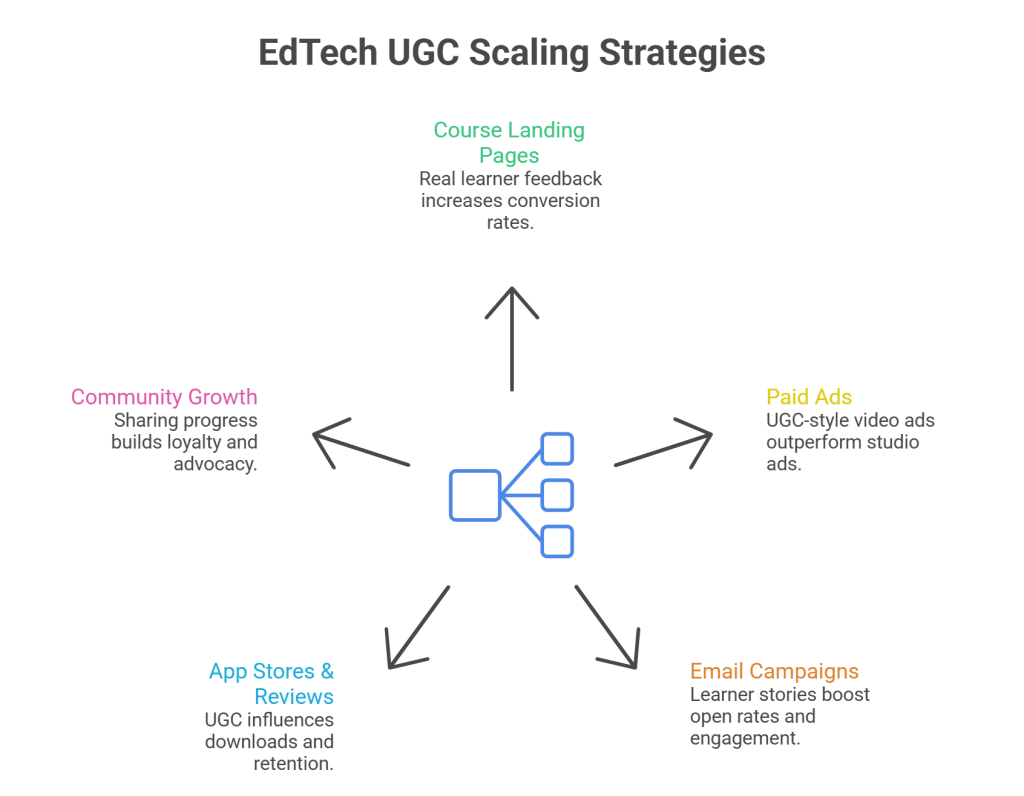
Course Landing Pages
Real learner feedback increases conversion rates dramatically.
Paid Ads
UGC-style video ads often outperform studio-style ads because they feel honest and relatable.
Email Campaigns
Sharing learner stories boosts open rates and engagement.
App Stores & Reviews
UGC influences downloads and retention.
Community Growth
Encouraging learners to share progress builds loyalty and advocacy.
UGC for Education Across Platforms
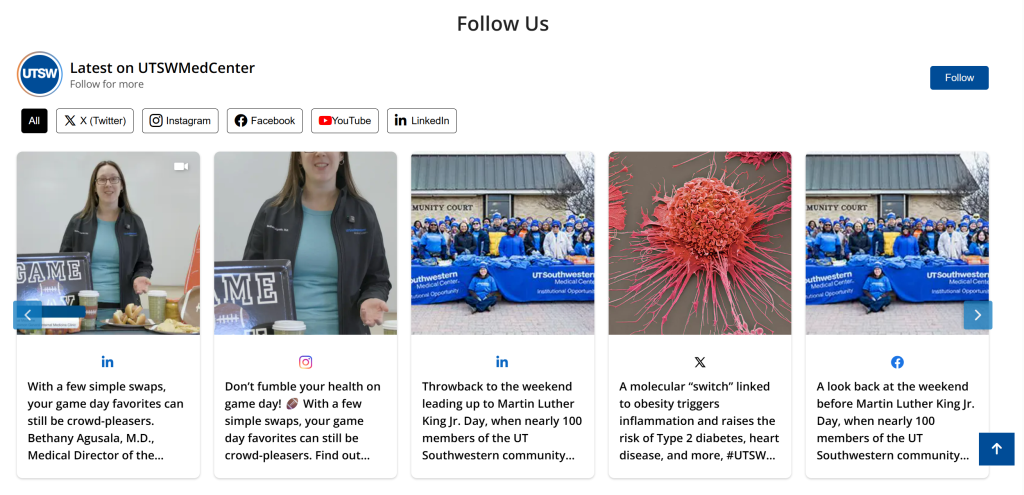
Website
UGC on homepages, landing pages, and course pages boosts trust and time on site.
For Example:
Social Media
Instagram, YouTube, TikTok, and LinkedIn are perfect for student-led content.
Email
Including student quotes or stories in emails makes communication feel human.
Ads
UGC-based ads feel less salesy and more conversational.
How to Collect UGC in Education (The Right Way)
UGC should never be forced or fake — especially in education.
Encourage, Don’t Pressure
Invite students to share their experience voluntarily.
Ask at the Right Time
Best moments:
- Course completion
- Exam success
- Graduation
- Personal milestones
Make It Easy
Simple prompts work better than long forms.
Always Get Consent
Written or digital consent is non-negotiable, especially with minors.
Ethics, Privacy & Safety in Education UGC
Education UGC comes with responsibility.
Respect Student Privacy
Never publish sensitive information.
Parental Consent for Minors
Mandatory for schools and younger students.
Avoid Misleading Claims
Don’t exaggerate outcomes or results.
Content Moderation
Ensure UGC aligns with community and safety standards.
Trust once broken is very hard to rebuild in education.
Measuring the Impact of UGC for Education
UGC isn’t just “nice content” — it drives real results.
Track:
- Enrollment conversion rates
- Engagement on UGC posts
- Time spent on pages with UGC
- Ad performance using UGC creatives
- Reviews and ratings growth
Over time, UGC becomes one of the highest ROI content channels.
Common Mistakes Education Brands Make With UGC
- Only using UGC occasionally
- Treating UGC as decoration instead of strategy
- Over-editing student content
- Ignoring consent and compliance
- Focusing only on “perfect” stories
Real stories matter more than polished ones.
The Future of UGC in Education
UGC is moving beyond marketing.
The future includes:
- Community-led learning
- Peer-to-peer education
- Hybrid UGC + AI workflows
- Personalised student stories
- Lifelong learner advocacy
Education brands that embrace UGC today will build stronger trust and long-term loyalty tomorrow.
Final Thoughts
UGC for education is not about selling courses or institutions.
It’s about amplifying real voices, building trust, and helping learners make confident decisions.
When done right, UGC doesn’t feel like marketing —
it feels like guidance from someone who’s already been there.And in education, that’s priceless.
-
Common Ninja Alternatives: Best Tools to Display User Generated Content
User-generated content has become one of the most powerful ways to build trust, increase engagement, and convert website visitors into customers. Brands today rely on social media feeds, reviews, and visual UGC to create authentic online experiences.
While Common Ninja is a popular option for adding widgets and social content to websites, it may not always meet every brand’s needs, whether due to pricing, customization limits, performance concerns, or scalability.
If you’re exploring better or more flexible options, this guide covers the best Common Ninja alternatives that help you collect, manage, and display user-generated content effectively. Let’s dive in.
Explore Top Alternatives For Common Ninja
1. Tagembed – Social Media Aggregator

Tagembed is one of the strongest Common Ninja alternatives for brands looking to showcase user-generated content and social media feeds on their websites.
It allows businesses to collect content from multiple social platforms, including Instagram, Facebook, Google Reviews, Twitter (X), YouTube, and more, and display it in fully customizable widgets.
Why Tagembed Stands Out
- Supports multiple social media feeds in one widget
- Advanced moderation to filter unwanted content
- Easy embedding on WordPress, Elementor, Wix, Shopify, Webflow, and more
- Lightweight widgets that don’t slow down your site
Tagembed also helps brands unlock every UGC opportunity by turning real customer content into social proof. Whether you want to display reviews, hashtags, or brand mentions, it keeps your website dynamic and trustworthy.
Best for: Businesses of all sizes, eCommerce, service brands, and marketers
Key strength: Balance of ease, customization, and performance
2. Taggbox – Powerful UGC & Social Media Aggregation

Taggbox is another popular alternative to Common Ninja, particularly for brands seeking greater control over UGC campaigns.
It focuses heavily on collecting, curating, and displaying user-generated content from social platforms and review sites.
Key Features
- UGC aggregation from social media and reviews
- Content rights management
- Adding Social feeds and Google reviews widget
- Custom layouts and themes
- Strong moderation and analytics tools
Taggbox is widely used for websites, digital screens, and marketing campaigns. It’s a solid option if your brand actively runs hashtag campaigns or influencer-driven promotions.
Best for: Marketing teams and UGC-focused campaigns
Key strength: Campaign-driven UGC management
3. Bazaarvoice – Enterprise-Level UGC Platform

Bazaarvoice is a well-known enterprise solution that focuses on reviews, ratings, and customer-generated content.
Unlike Common Ninja, Bazaarvoice is built for large brands that need deep analytics and content syndication across retail platforms.
What It Offers
- Product reviews and ratings
- Q&A and visual UGC
- Syndication to retail partners
- Advanced insights and analytics
While powerful, Bazaarvoice may feel overwhelming or expensive for small businesses.
Best for: Large enterprises and retail brands
Key strength: Review syndication and enterprise analytics
4. TrueLoyal– Visual UGC Storytelling

TrueLoyal focuses on visual storytelling through social media feeds and UGC galleries.
It’s designed for brands that rely heavily on visual content, especially lifestyle, fashion, and travel brands.
Highlights
- Visual-first UGC displays
- Custom branding and layouts
- Content moderation and analytics
- Integrations with social platforms
TrueLoyal helps brands turn social content into immersive website experiences.
Best for: Visual brands and storytelling-driven websites
Key strength: Aesthetic UGC presentation
5. CrowdRiff – Travel & Tourism-Focused UGC
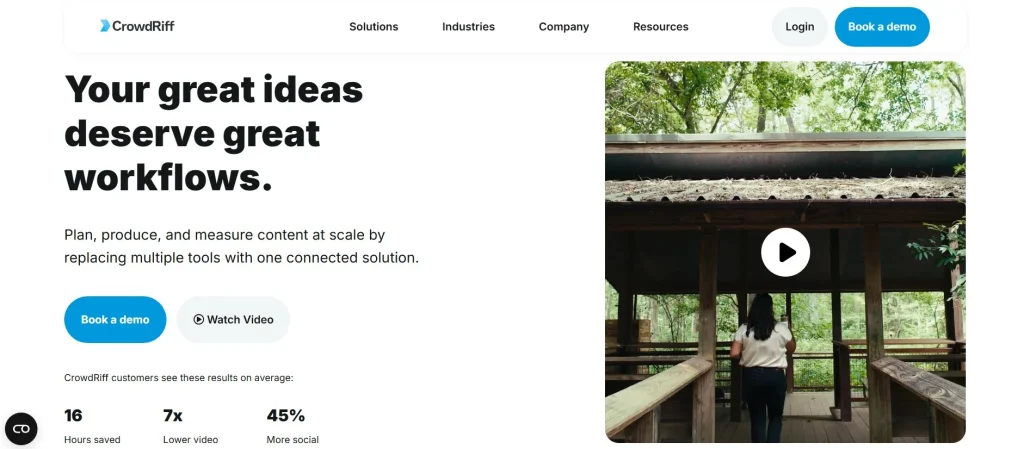
CrowdRiff is a niche platform serving primarily travel, tourism, and destination marketing organizations.
It helps brands collect, manage, and publish user-generated content from travelers and visitors.
Key Capabilities
- UGC rights management
- Visual content libraries
- Website and campaign integration
- Analytics and reporting
If your brand operates in travel or hospitality, CrowdRiff offers tailored solutions for showcasing authentic experiences.
Best for: Tourism boards and hospitality brands
Key strength: Travel-focused UGC management
6. Flowbox – Premium UGC for eCommerce
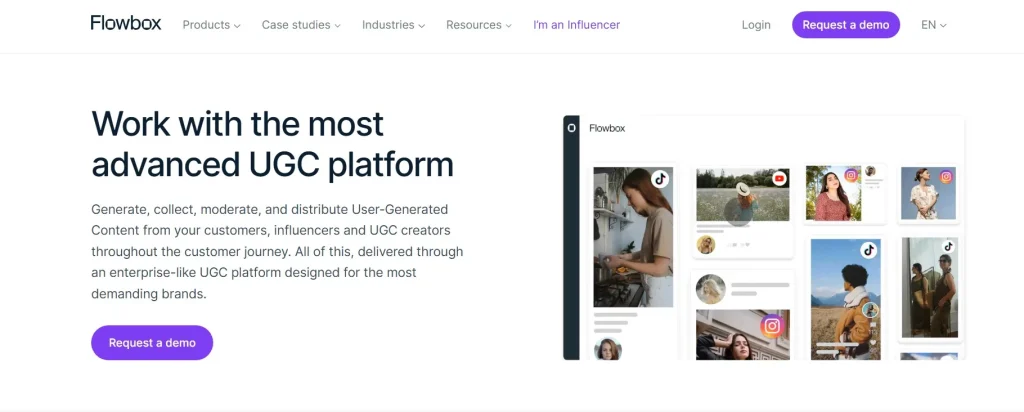
Flowbox is a premium UGC platform built with eCommerce conversion in mind.
It allows brands to embed shoppable social media feeds and user-generated content directly on product and category pages.
Features
- Shoppable UGC galleries
- Social media feed aggregation
- Advanced moderation
- Conversion tracking
Flowbox is best suited to established eCommerce brands focused on visual commerce.
Best for: Mid to large eCommerce businesses
Key strength: Shoppable UGC experiences
7. Flockler – Multi-Platform Content Aggregation
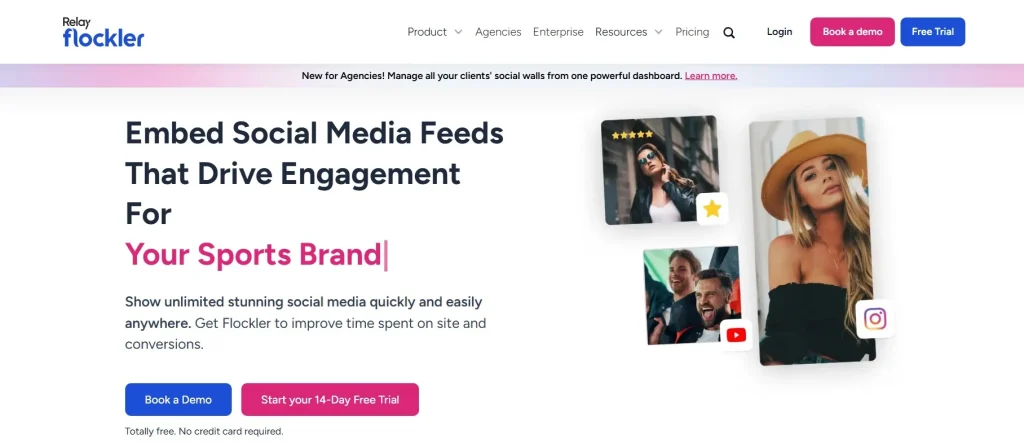
Flockler helps brands aggregate and display content from social media, blogs, and other digital sources.
It’s flexible and developer-friendly, making it a strong alternative to Common Ninja for custom projects.
Why Choose Flockler
- Aggregates social media feeds and content
- Custom layouts and APIs
- Supports websites, apps, and digital displays
- Reliable performance
Flockler is often chosen by brands seeking greater technical control.
Best for: Developers and content-heavy websites
Key strength: Flexible integrations
8. SociableKIT – Simple Social Media Widgets
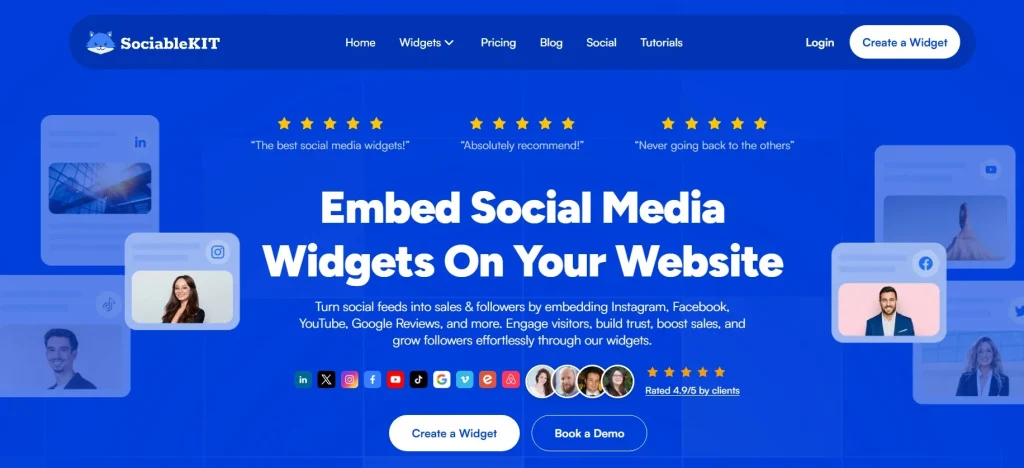
SociableKIT offers ready-made widgets for embedding social media feeds, reviews, and profiles.
It’s a simpler alternative to Common Ninja for users who want a quick setup without advanced customization.
Key Benefits
- Easy-to-use widgets
- Supports many social platforms
- Minimal setup required
- Budget-friendly
While it lacks advanced UGC features, it meets basic needs.
Best for: Small websites and beginners
Key strength: Simplicity
9. Emplifi – Social Media & Customer Experience Platform
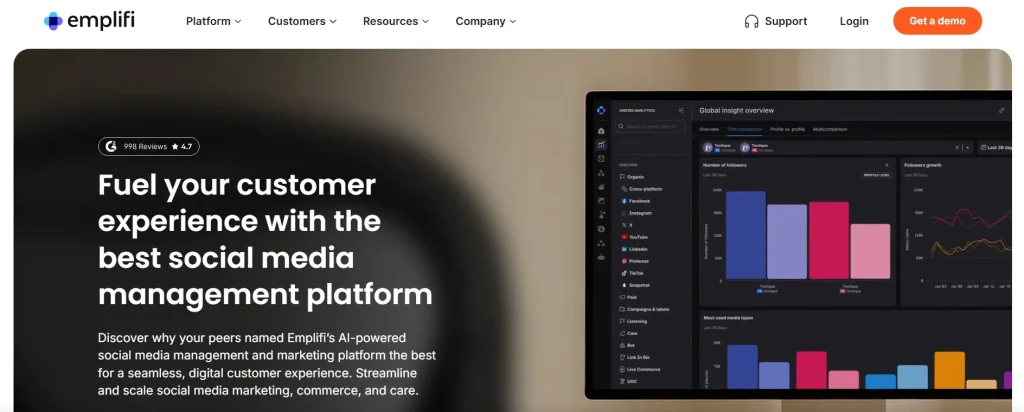
Emplifi combines social media management, customer experience, and UGC into one platform.
It’s more than a widget; it offers deep analytics and engagement insights.
What It Includes
- Social media publishing and monitoring
- UGC management
- Customer engagement tools
- Analytics and reporting
This platform is better suited for brands with dedicated social teams.
Best for: Large brands and enterprises
Key strength: All-in-one social experience management
10. Billo – Video UGC Creation Platform
Billo is slightly different from other Common Ninja alternatives. Instead of aggregating existing content, it focuses on producing UGC videos created by creators.
Key Features
- Access to UGC creators
- Custom video briefs
- Fast turnaround
- Content ownership
Billo is ideal if your brand wants fresh video content rather than embedding live social media feeds.
Best for: Brands focused on video marketing
Key strength: Creator-powered UGC production
Final Thoughts: Choosing the Right Common Ninja Alternative
Common Ninja is a useful tool, but it’s not the only option for showcasing user-generated content and social media feeds.
If you want an all-around solution that’s easy to use, customizable, and performance-friendly, Tagembed stands out as the best alternative. For campaign-driven needs, Taggbox is a strong choice. Meanwhile, enterprise brands may prefer tools such as Bazaarvoice or Emplifi.
The right platform depends on how you want to use UGC, whether to build trust, drive conversions, or unlock a new UGC opportunity on your website.
-

Employee Engagement Ideas That Actually Work in the Modern Workplace
Employee engagement is no longer just about annual surveys or office perks—it’s about creating meaningful experiences that connect employees to their work, their peers, and the organization’s purpose. Engaged employees are more productive, loyal, and motivated, making engagement a top priority for HR and leadership teams.
Below are practical and modern employee engagement ideas that drive real impact.
1. Build Strong Employee Wellness Programs
Employee engagement starts with well-being. Comprehensive employee wellness programs show employees that the organization values their physical, mental, and emotional health.
Ideas include:
- Mental health days and access to counseling services
- Fitness challenges, yoga sessions, or gym reimbursements
- Employee Financial wellness workshops
- Flexible working hours to support work-life balance
When employees feel healthy and supported, they are naturally more engaged and committed to their roles.
Best Corporate Wellness Tools are – Woliba.io, Gojeo
2. Encourage Employee Generated Content
One of the most powerful and authentic engagement strategies is employee generated content. Giving employees a voice boosts trust, pride, and connection.
Ways to implement this:
- Invite employees to share success stories, blog posts, or day-in-the-life videos
- Feature employee spotlights on internal portals or social media
- Encourage teams to create content around company values, events, or learning experiences
Employee generated content not only strengthens internal engagement but also enhances employer branding externally.
3. Create Opportunities for Continuous Learning
Employees are more engaged when they see growth opportunities. Offer learning experiences that align with both personal and organizational goals.
Examples:
- Online courses and certifications
- Lunch-and-learn sessions led by internal experts
- Mentorship and peer-learning programs
Learning-driven environments keep employees motivated and invested in the future of the organization.
4. Recognize and Reward Contributions Regularly
Recognition is a simple yet highly effective engagement tool. Timely appreciation can significantly boost morale.
Best practices:
- Peer-to-peer recognition platforms
- Monthly or quarterly awards
- Public appreciation during meetings or internal communications
Recognition becomes even more powerful when paired with employee generated content, such as shout-out posts or testimonial videos.
5. Foster a Culture of Open Communication
Transparent communication builds trust and engagement. Employees want to feel heard and informed.
Ideas to improve communication:
- Regular town halls and Q&A sessions
- Anonymous feedback channels
- Leadership updates via blogs or videos
Encouraging employees to contribute ideas and feedback reinforces a sense of ownership and belonging.
6. Make Team Bonding Intentional
Strong relationships drive engagement. Team-building doesn’t have to be expensive or forced.
Try:
- Virtual coffee chats or interest-based groups
- Team challenges or hackathons
- Volunteering initiatives tied to employee wellness programs
These activities strengthen collaboration while supporting well-being and purpose.
7. Align Work With Purpose and Values
Employees are more engaged when their work feels meaningful. Connect individual roles to the company’s mission and impact.
Sharing employee generated content around purpose-driven projects or community initiatives helps reinforce values across the organization.
Final Thoughts
Employee engagement is not a one-time initiative—it’s an ongoing commitment. By investing in employee wellness programs, amplifying employee generated content, and fostering a culture of growth, recognition, and connection, organizations can build an engaged workforce that thrives.
Engaged employees don’t just work for a company—they believe in it.
-
Instagram Wall – UGC Strategy for Events, Websites, and Digital Screens
Instagram has always been about moments. People don’t just post photos—they share excitement, pride, celebrations, and experiences they want others to see.
Now imagine taking those moments out of the phone and putting them right in front of your audience—on big screens, websites, stores, and event venues. That’s exactly what an Instagram Wall does.
An Instagram wall doesn’t feel like marketing. It feels real. It feels alive. And most importantly, it makes people feel involved.
In this blog, we’ll explore what Instagram walls are, why they matter, how brands and events actually use them, and why they consistently outperform traditional content displays.
What is an Instagram Wall ?
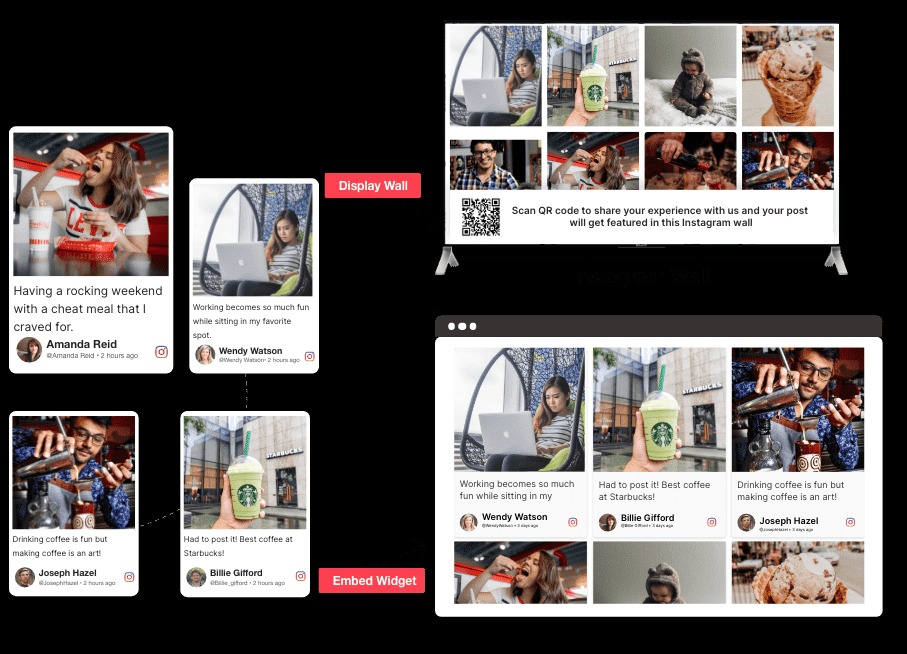
An Instagram Wall is a live, curated display of Instagram content collected from:
- Hashtags
- Mentions
- Tagged posts
- Profiles
- Reels and stories
This content is organized into a visually appealing feed—often called an Insta wall—and displayed on:
- Event screens
- Digital signage
- Websites
- TVs
- Online stores
But this isn’t a basic Instagram embed.
An Instagram wall is:
- Moderated, so only relevant content appears
- Customizable, so it matches your brand or event theme
- Live, updating in real time
- Interactive, encouraging people to participate
It turns passive scrolling into a shared experience.
Why Instagram Walls Matter More Than Ever
People trust people—not ads.
When audiences see real customers, attendees, or fans sharing content, it instantly feels authentic. That’s why Instagram walls work so well across industries.
An Instagram wall:
- Makes audiences feel recognized and included
- Creates social proof in real time
- Encourages more people to post using your hashtag
- Keeps content fresh without constant effort
- Adds energy to otherwise static screens
Instead of saying “Look how great our brand is,” you’re letting your audience say it for you.
That shift—from brand-led to community-led—is what makes Instagram walls so powerful.
Instagram Wall for Events – The Heart of Live Engagement
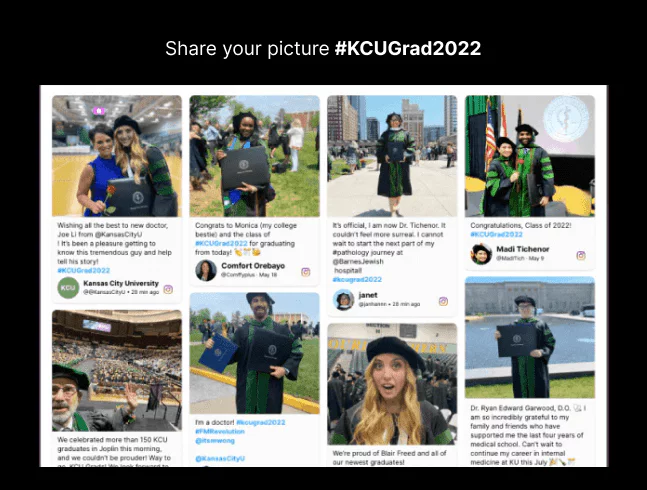
If you’ve ever organized an event, you know the challenge:
Keeping energy high between sessions, during breaks, and after the main highlights.This is where an instagram wall for events becomes invaluable.
How Instagram Walls Transform Events
At events, people are already taking photos, recording reels, and tagging locations. An Instagram wall gives them a reason to do it more—and better.
Here’s what happens:
- Attendees post using the event hashtag
- Their content appears live on the big screen
- Others see it and join in
- Engagement multiplies naturally
Suddenly, your audience isn’t just attending the event—they’re co-creating it.
Why Event Organizers Love Instagram Walls
- Keeps audiences engaged without forced interaction
- Encourages organic word-of-mouth marketing
- Highlights sponsors and partners seamlessly
- Makes large venues feel more connected
- Creates post-event content automatically
From conferences and concerts to exhibitions and product launches, social media wall help events feel social, interactive, and memorable.
Instagram Walls on Websites – Turning Browsers into Believers
Websites often struggle with trust.
Visitors land on a page and wonder:
“Is this brand legit?”
“Do people actually use this?”
“Can I trust this product?”An Instagram wall answers all those questions—instantly.
By embedding Instagram walls on your website:
- Visitors see real people using your product
- Content feels fresh every time they visit
- Engagement time increases naturally
- Brand credibility improves without hard selling
Unlike testimonials written by brands, Instagram walls show unfiltered customer experiences, which feel more honest and relatable.
Instagram Walls for Online Stores
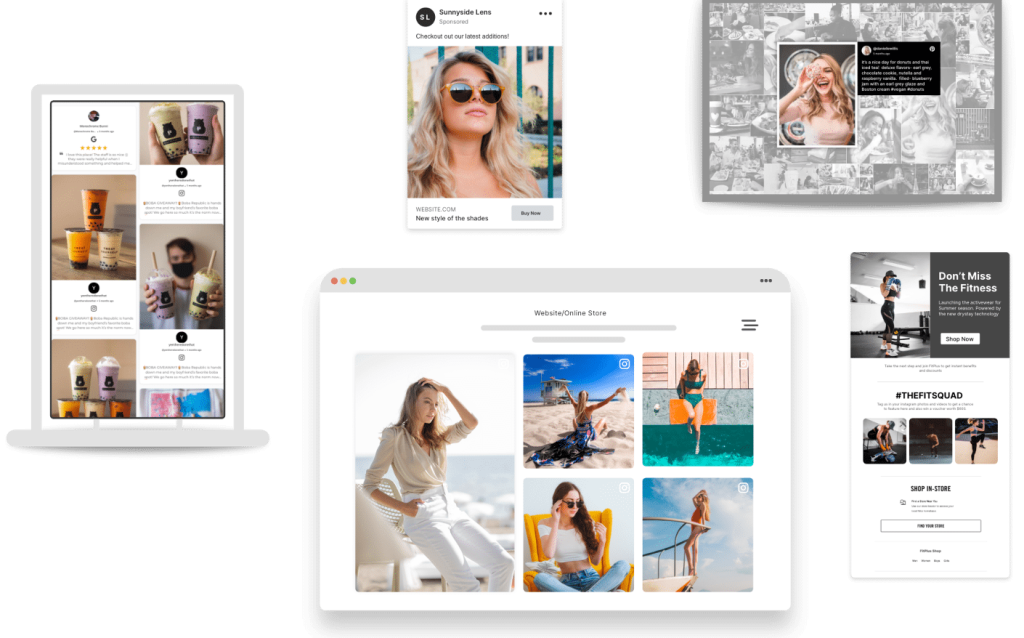
For eCommerce brands, Instagram walls do more than look good—they drive sales.
When shoppers see real customers wearing, using, or reviewing products:
- Confidence increases
- Decision time decreases
- Conversions improve
Instagram walls can be transformed into shoppable experiences, where users:
- Browse real UGC
- Click on products directly from posts
- Discover use cases they hadn’t considered
This makes Instagram walls a powerful bridge between content and commerce.
Digital Signage & In-Store Instagram Walls
Static displays are easy to ignore.
But live Instagram walls? They grab attention.
Whether it’s a retail store, office lobby, exhibition booth, or public venue, Instagram walls:
- Bring movement to screens
- Showcase real customer stories
- Build trust instantly
- Keep content updated without manual effort
Because Instagram walls are responsive, they work seamlessly across:
- TVs
- Projectors
- Jumbotrons
- DOOH screens
- Mobile displays
How an Instagram Wall Works
Creating Instagram walls is simpler than most people expect.
Step 1: Collect Content
Choose how you want to pull content—hashtags, mentions, tagged posts, reels, or profiles.
Step 2: Moderate & Personalize
Filter irrelevant posts, block unwanted words, highlight featured content, and style the wall to match your brand or event theme.
Step 3: Publish Anywhere
Display your Insta wall on websites, event screens, TVs, or digital signage.
Step 4: Track & Improve
Analyze top posts, active contributors, and engagement to refine future campaigns.
This process allows Instagram walls to scale effortlessly—from small meetups to massive live events.
Features of Instagram Walls
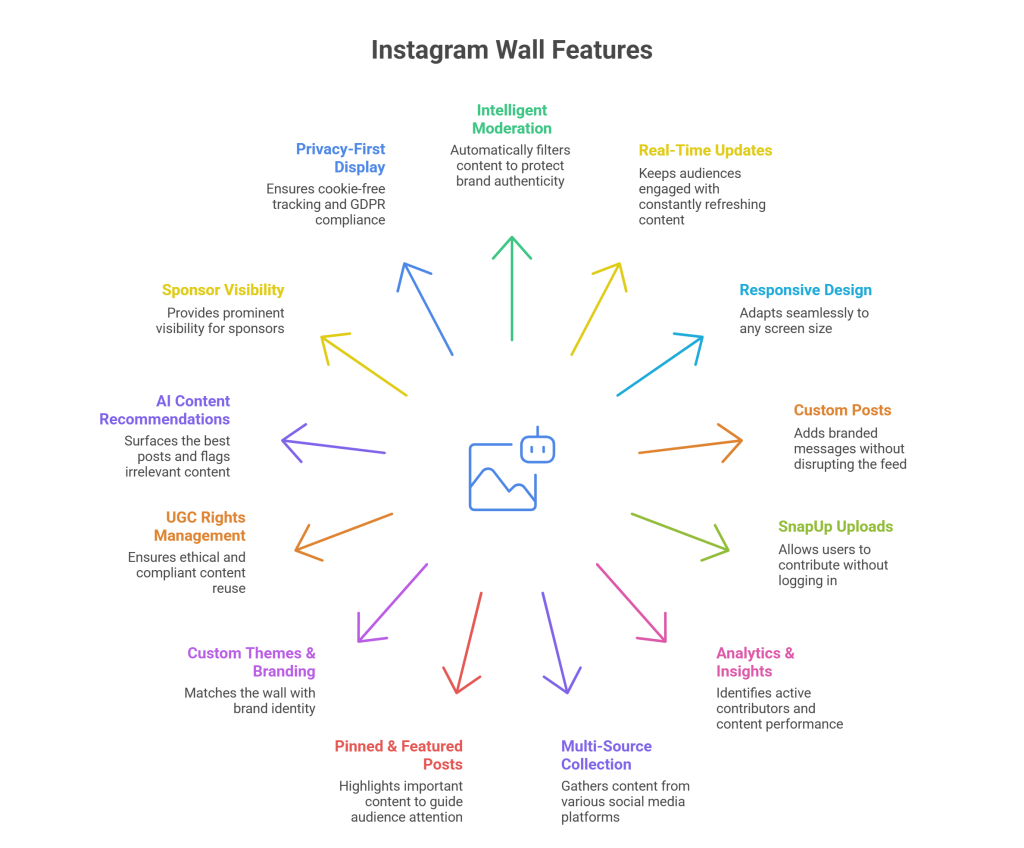
1. Intelligent Moderation
Protect your brand by filtering content automatically while still keeping the feed authentic.
2. Real-Time Updates
Every new post refreshes the experience, keeping audiences engaged longer.
3. Responsive Design
Instagram walls adapt perfectly to any screen size without breaking layouts.
4. Custom Posts
Add announcements, sponsor shoutouts, CTAs, or branded messages without disrupting the feed.
5. SnapUp Uploads
Allow users to contribute without logging into Instagram—ideal for privacy-first environments.
6. Analytics & Insights
Identify your most active contributors, export participant data, and understand what content performs best.
7. Multi-Source Content Collection
Pull content from hashtags, mentions, tagged posts, reels, stories, and profiles to capture every relevant moment.
8. Pinned & Featured Posts
Highlight important content such as sponsor posts, influencer content, or key announcements to guide audience attention.
9. Custom Themes & Branding
Match your Instagram wall with your brand identity using flexible layouts, colors, fonts, and backgrounds.
10. UGC Rights Management
Request and manage user-generated content permissions easily, ensuring ethical and compliant content reuse.
11. AI Content Recommendations
Use AI-powered suggestions to surface the best posts and automatically flag low-quality or irrelevant content.
12. Sponsor & Partner Visibility
Give sponsors prominent visibility through featured posts, branded frames, and strategic content placement.
13. Privacy-First Display
Run Instagram walls with cookie-free tracking and GDPR-compliant data handling for complete peace of mind.
Building Trust with Ethical UGC Rights
Trust doesn’t end with display—it extends to usage.
Instagram walls allow brands to:
- Request UGC rights transparently
- Get creator approval
- Reuse content ethically across campaigns
This respectful approach strengthens relationships with creators and reinforces brand integrity.
Real Results: Why Instagram Walls Work
Brands using Instagram walls consistently report:
- Higher audience participation
- Increased hashtag usage
- More social reach during events
- Stronger brand recall
- Authentic post-event content libraries
When people see themselves on screen, they feel valued—and valued audiences engage more.
Final Thoughts
Instagram walls don’t interrupt experiences—they enhance them.
They turn:
- Attendees into contributors
- Customers into advocates
- Screens into storytelling platforms
Whether you’re planning an event, building a website, running a campaign, or growing an online store, Instagram walls help you connect with your audience in a way that feels natural, human, and memorable.
In a world full of ads, authenticity stands out.
And that’s exactly what Instagram walls deliver. -
UGC-Powered Social Media Wall for Events, Displays and More
Events have evolved. Audiences no longer want to just attend—they want to participate, be seen, and feel connected. Whether it’s a large-scale conference, a product launch, a graduation ceremony, or a hybrid event, engagement has become the real measure of success.
This is where social walls come into play.
A social wall turns scattered conversations, posts, photos, and reactions into one shared experience. Instead of social media living only on attendees’ phones, a social media wall for events brings those moments to the center stage—literally.
In this blog, we’ll explore what a social wall really is, how it works, why it matters for events, and how it helps brands, organizers, and communities build deeper connections.
What is Social Media Wall ?
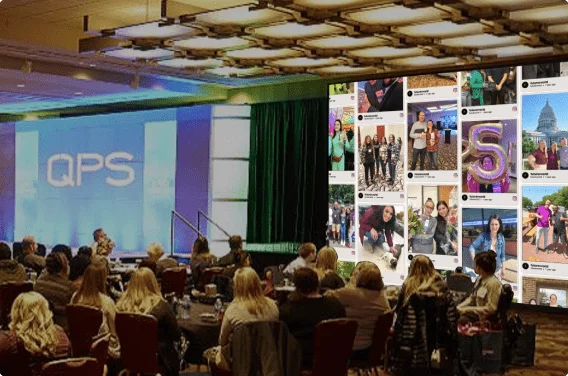
A social wall is a live, visual display of content collected from social media platforms and direct uploads, curated and showcased in one unified feed.
This content may include:
- Photos shared by attendees
- Short videos and reels
- Posts using event hashtags
- Messages, reactions, and feedback
- Brand or speaker content
Displayed on large screens, websites, event apps, or digital signage, a social media wall transforms individual posts into a collective story.
Instead of asking attendees to “post and forget,” a social wall shows them that their voices matter.
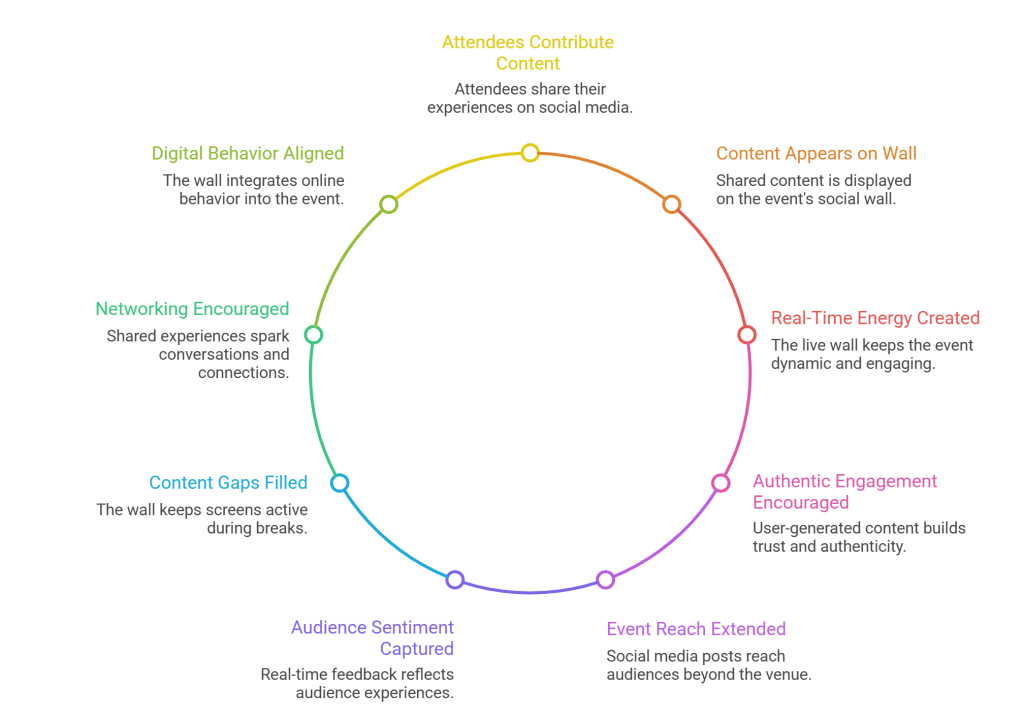
Why Social Walls Matter for Events Today
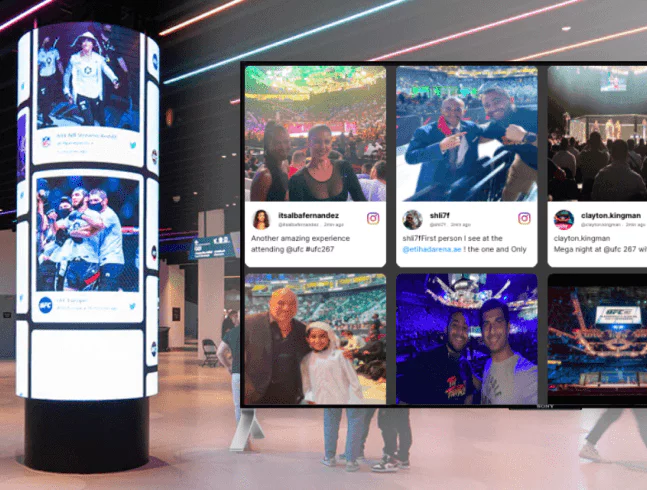
Modern events compete with distractions—notifications, emails, and parallel online conversations. A social wall for events solves this by pulling attention back into the shared space.
Here’s why they’ve become essential:
- They Turn Attendees Into Contributors
When people see their content appear on screens, participation skyrockets. Attendees stop being passive viewers and start actively sharing moments. - They Create Real-Time Energy
A live social media wall evolves throughout the event. Each new post refreshes the experience, making the event feel dynamic rather than static. - They Encourage Authentic Engagement
User-generated content feels real. It’s not scripted, polished, or overproduced—and that authenticity builds trust. - They Extend Event Reach
Every post shared on social media reaches audiences beyond the venue. The social wall becomes a bridge between on-site and remote viewers. - They Capture Real Audience Sentiment
A social wall reflects how people are actually experiencing the event—what sessions resonate, what moments excite them, and what emotions dominate. This real-time sentiment is far more valuable than post-event surveys. - They Reduce Content Gaps During Downtime
Between sessions, breaks, or speaker transitions, a social media wall keeps screens active and engaging instead of showing static slides or blank displays. - They Encourage Organic Networking
When attendees see familiar faces or shared experiences on the social wall, it naturally sparks conversations and connections offline. - They Align Physical Events With Digital Behavior
Audiences are already sharing content online. A social wall simply brings that behavior into the event environment instead of competing with it.
How a Social Media Wall for Events Works
While it looks seamless on screen, a social wall follows a simple three-stage process:
1. Content Collection
Content is pulled from multiple sources:
- Event hashtags
- Social media profiles
- Mentions and keywords
- Direct photo or video uploads via QR codes
This ensures participation from both social-media-savvy attendees and those who prefer private uploads.
2. Curation and Moderation
Not every post needs to go live instantly. Event organizers can:
- Approve content manually
- Filter duplicates
- Remove irrelevant or off-brand posts
- Highlight featured content
This keeps the social wall clean, relevant, and aligned with the event’s tone.
3. Display and Experience
Once curated, content is displayed in visually engaging layouts across:
- Stage screens
- LED walls
- Event websites
- Mobile apps
- Digital signage
The result is a living, breathing narrative of the event.
Key Benefits of Using Social Walls at Events
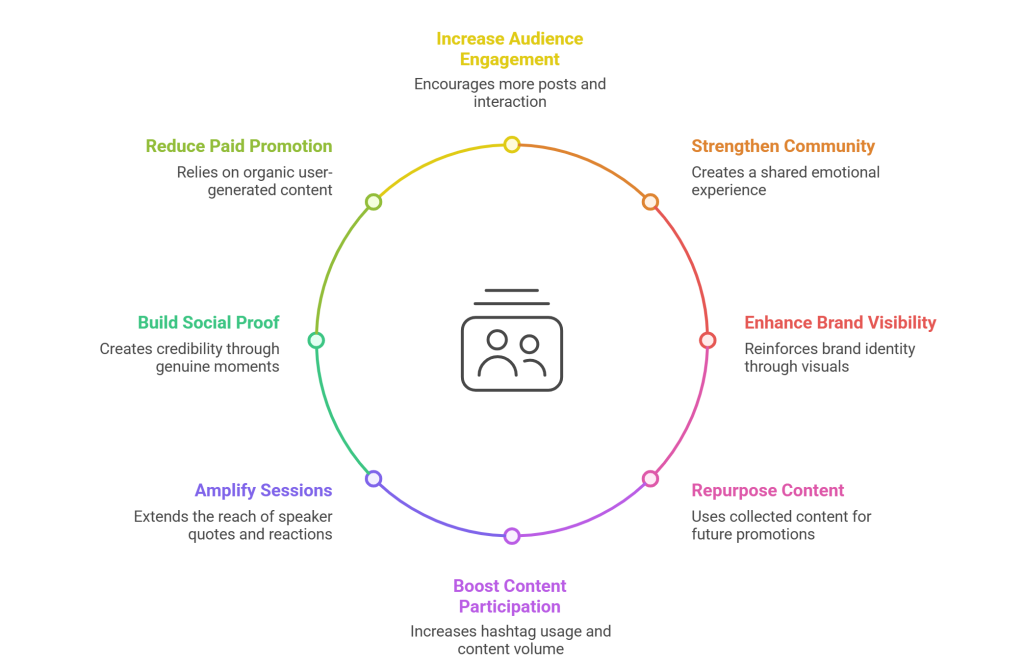
1. Increased Audience Engagement
Events using a social wall for events consistently see higher interaction rates. People post more when they know their content will be showcased.
2. Stronger Sense of Community
Seeing multiple perspectives—attendees, speakers, teams—creates a shared emotional experience. It reinforces the idea that everyone is part of something bigger.
3. Enhanced Brand Visibility
Branded visuals, colors, fonts, and logos integrated into the social wall ensure that every shared post reinforces brand identity.
4. Content That Lives Beyond the Event
The collected content doesn’t disappear once the event ends. It can be repurposed for blogs, websites, recaps, newsletters, and future promotions.
5. Higher Content Participation Rate
Events with a visible social wall typically see significantly higher hashtag usage and content volume compared to events without one.
6. Better Speaker and Session Amplification
Speaker quotes, presentation snippets, and audience reactions extend the life and reach of sessions beyond the room they happen in.
7. Instant Social Proof
Seeing real people share genuine moments builds credibility for the event, the brand, and the experience being delivered.
8. Reduced Reliance on Paid Promotion
Organic user-generated content displayed on a social wall often outperforms branded messaging in authenticity and reach.
Types of Events Where Social Walls Shine
1. Corporate Events & Conferences
A social media wall for events keeps audiences engaged during long sessions, highlights speaker moments, and encourages live discussion.
2. Product Launches
Launch events benefit from real-time reactions, first impressions, and unfiltered feedback displayed on a social wall.
3. Graduation Ceremonies
Families and students share pride-filled moments that appear live, making ceremonies more inclusive—even for remote viewers.
4. Charity & Fundraising Events
Seeing live participation and supporter messages builds emotional momentum and encourages more involvement.
5. Hybrid & Virtual Events
A social wall connects physical attendees with online participants, ensuring no one feels left out.
6. Trade Shows & Expos
A social wall highlights booth activity, live demos, and attendee interactions, helping exhibitors gain more visibility and footfall.
7. Internal Corporate Events
Town halls, annual meets, and leadership summits benefit from a private social wall that encourages employee participation without public posting.
8. Educational & Academic Events
Workshops, seminars, and student events become more interactive when learning moments and reflections are shared live.
9. Cultural & Community Gatherings
Festivals, exhibitions, and local events thrive on collective storytelling, making social walls a natural fit.
Interactive Features That Elevate Social Walls
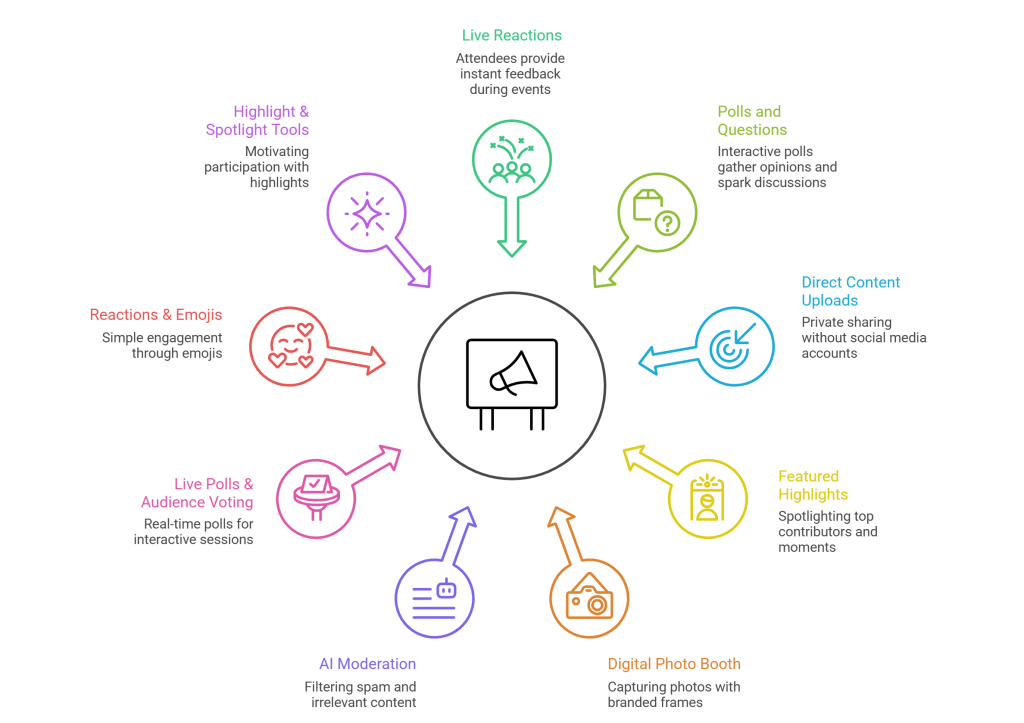
Modern social walls are no longer passive displays. These advanced features significantly enhance interaction:
1. Live Reactions
Attendees can react in real time, giving instant feedback during sessions or announcements.
2. Polls and Questions
Run live polls to gather opinions, vote on topics, or spark discussions.
3. Direct Content Uploads
Not everyone wants to post publicly. QR-based uploads allow private sharing without social media accounts.
4. Featured Highlights
Top contributors, speakers, or winning entries can be spotlighted to encourage more participation.
5. Digital Photo Booth
A built-in digital photo booth allows attendees to capture photos directly at the event using branded frames, stickers, and backgrounds. These photos can appear instantly on the social wall, increasing participation even from non-social-media users.
6. AI-Powered Moderation
AI UGC moderation automatically filters spam, duplicates, and irrelevant content, ensuring the social wall remains clean, relevant, and brand-safe—especially during high-volume events.
7. Live Polls & Audience Voting
Polls enable organizers to ask questions, gather opinions, or let audiences vote on topics in real time, making sessions more interactive.
8. Reactions & Emojis
Simple reaction features encourage instant engagement and feedback without requiring attendees to post content.
9. Highlight & Spotlight Tools
Top contributors, trending posts, or featured moments can be highlighted to motivate more participation.
These features transform a social wall into an engagement engine rather than just a display.
Best Practices for Running a Successful Social Wall
- Promote the hashtag early
- Display participation instructions clearly
- Moderate consistently
- Encourage speakers and teams to post
- Mix branded and user-generated content
A well-managed social media wall for events feels effortless to attendees—even though it’s carefully curated behind the scenes.
Mistakes to Avoid With Social Walls
While social walls are powerful, poor execution can limit their impact. Here are common mistakes event organizers should avoid:
- Not Explaining How to Participate: If attendees don’t know which hashtag to use or how to upload content, engagement will drop significantly.
- Overloading Screens With Unfiltered Content: Displaying everything without moderation can clutter the wall and dilute meaningful content.
- Treating the Social Wall as Decoration: A social wall should be actively promoted, referenced by hosts, and integrated into the event flow—not treated as background visuals.
- Ignoring Branding Consistency: A social wall that doesn’t match the event’s look and feel can feel disconnected from the overall experience.
- Turning It On Too Late: Launching the social wall after the event has started means missing early momentum and first impressions.
Aggregate and present content from the most powerful platforms

Instagram
Collect images, carousels, scrolls, or stories about your preferred source.

Twitter
Hashtag, Handle, Personal Account, Post URL

overhearing
Feeds

TikTok
Hashtag, Handle, Personal Account, Post URL

Facebook
Page, page mentions, albums

LinkedIn
Company page, handle, hashtag, post URL, bulk URL

YouTube
Channel URL, source, playlist, keywords, location

Slack
Account
The Future of Event Engagement
As events become more experience-driven, social walls are no longer optional. They reflect how audiences want to engage—visually, interactively, and authentically.
A social media wall for events doesn’t just show what’s happening.
It shows how people feel about it.And that’s what makes social walls powerful.
Final Thoughts
Events succeed when people feel involved, seen, and heard. Social walls make this possible by transforming individual voices into a shared experience.
Whether it’s a conference, product launch, graduation, or community gathering, a social wall for events helps turn moments into memories—and attendees into a connected community.